Download the I.C.E. Exchange Mobile App
.jpg)
Access I.C.E. Exchange at your fingertips by downloading the free I.C.E. Exchange mobile app!
Search for “I.C.E. Events” in the App Store or Google Play to get started today.
New this year! To create an account within the app, you must enter the event code: EXG2026
What You Can Do in the App
- Search event and session descriptions, and find room assignments.
- Build your personal agenda with sessions and networking events.
- Download session handouts and materials.
- Access 2026 industry partner listings, booth assignments, and handouts.
- Create a public profile to connect with other attendees.
- Share feedback via real-time session evaluations.
- Access venue and Innovation Hall maps.
Download the Mobile App
To accommodate different devices, you can download the app in two ways:
Option 1: Via App Store or Google Play
Search for: “I.C.E. Events”


Option 2: Scan the QR Code

Sponsored by:
_1.png)
Using the App
1. Create an Account
- Open the 2026 I.C.E. Exchange Mobile app.
- When prompted, enter event code: EXG2026
- Create an account using your desired email and password. Note: this is not connected to your I.C.E. account.
- Recommended: Update your profile information and make your profile public so others can find you.
- Click Save to complete your profile.
Note: 2026 attendees must create a new account. Prior credentials do not carry over. If you already have the I.C.E. Exchange app on your device, we recommend reinstalling it to ensure you can access 2026 information.
2. Build Your Personal Agenda
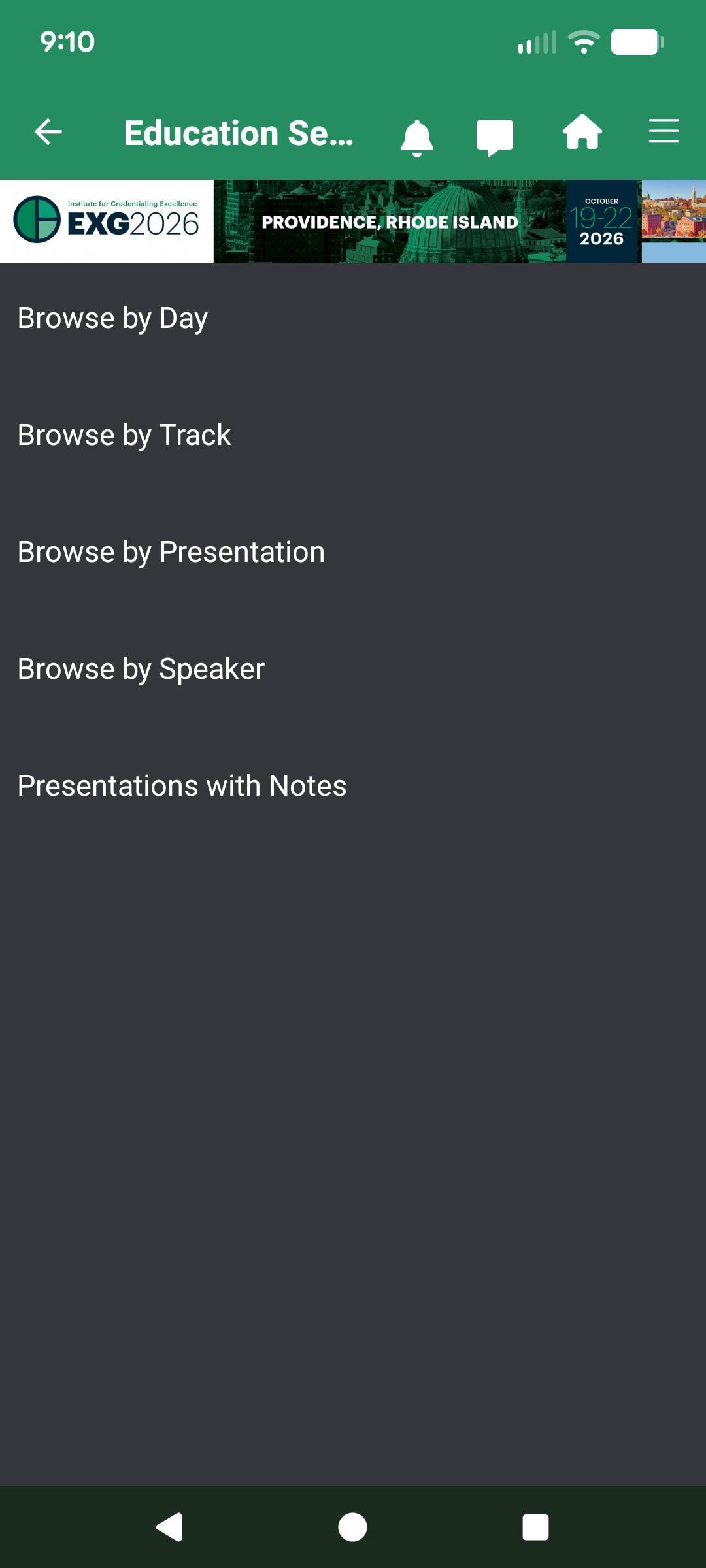
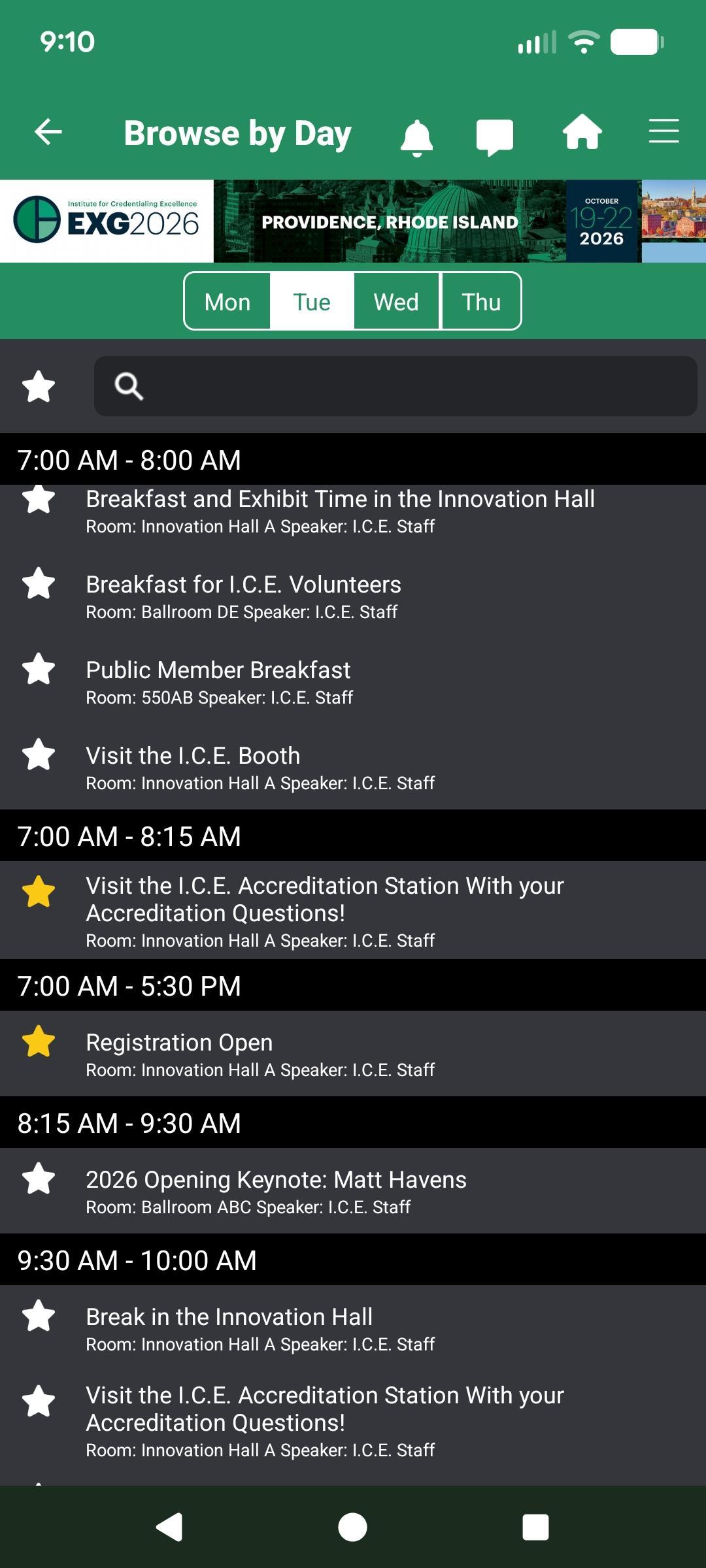
- Tap the Schedule icon to browse sessions by day, track, or type.
- Use the search bar to find sessions by keyword.
- Tap the star or bookmark icon to add sessions to your My Agenda.
- To add personal meetings, select “Add Meeting” at the bottom of your agenda.
Building your agenda saves time and helps you navigate the conference efficiently.
3. Find Session Information
- Click into a session to view all session details.
- The navigation at the bottom of your screen will allow you to click into speakers, download any attachments, favorite a session, and take notes.
- Once a session is completed, you will also find an evaluation icon on the navigation where you can share your feedback.
Your feedback helps I.C.E. improve future conferences.
4. Find Your Way
Use the “Maps" to reference venue maps and find your way around the I.C.E. Exchange.
Please note that there are two venue maps for 2026. Advance through the maps using the arrow at the top of your screen.
5. Innovation Hall
Reference the "Exhibitors" icon to find all industry partners within the Innovation Hall. Here you can reference booth numbers, learn more about the partners, and download any handouts.
You can also use the "Innovation Hall" icon to access the Innovation Hall map.
If you have any questions about the mobile app, please contact I.C.E. at info@credentialingexcellence.org. While at the Exchange, staff members will be available to assist you with any questions.